Files, signatures and pictures
Popups that take a CV or a signature, where those files are kept, and how pictures for your popups are hosted.
There are two kinds of upload, and they never mix:
- Visitors’ files and signatures, which a visitor attaches to an answer. They are private: only you can download them.
- Your pictures, which you or your agent upload for an image, a logo, a cover or the teaser. They are public, because every visitor loads them.
Asking for a file or a signature
Add a question of type FILE or SIGNATURE. In the builder they’re in the block picker with the other questions.
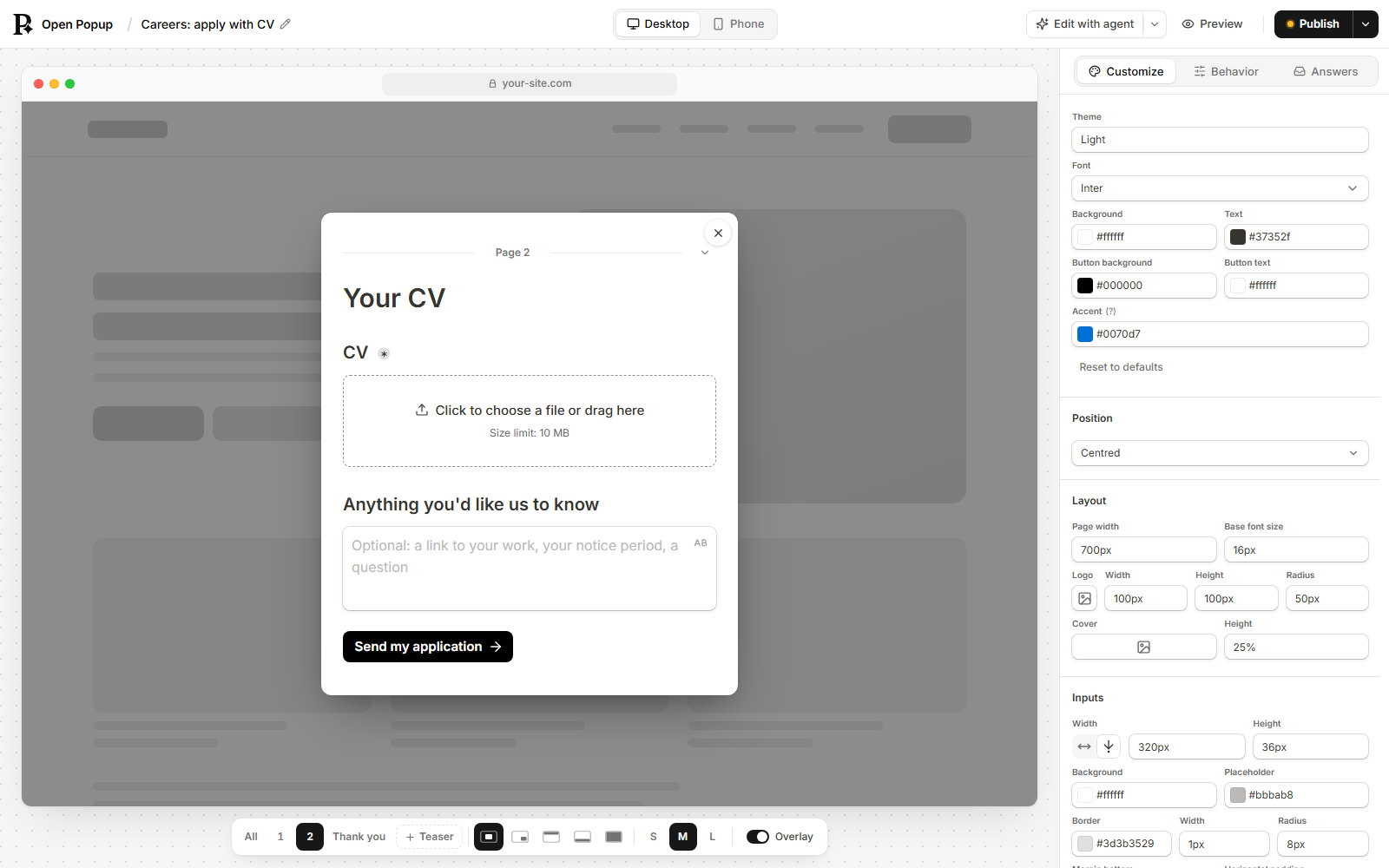
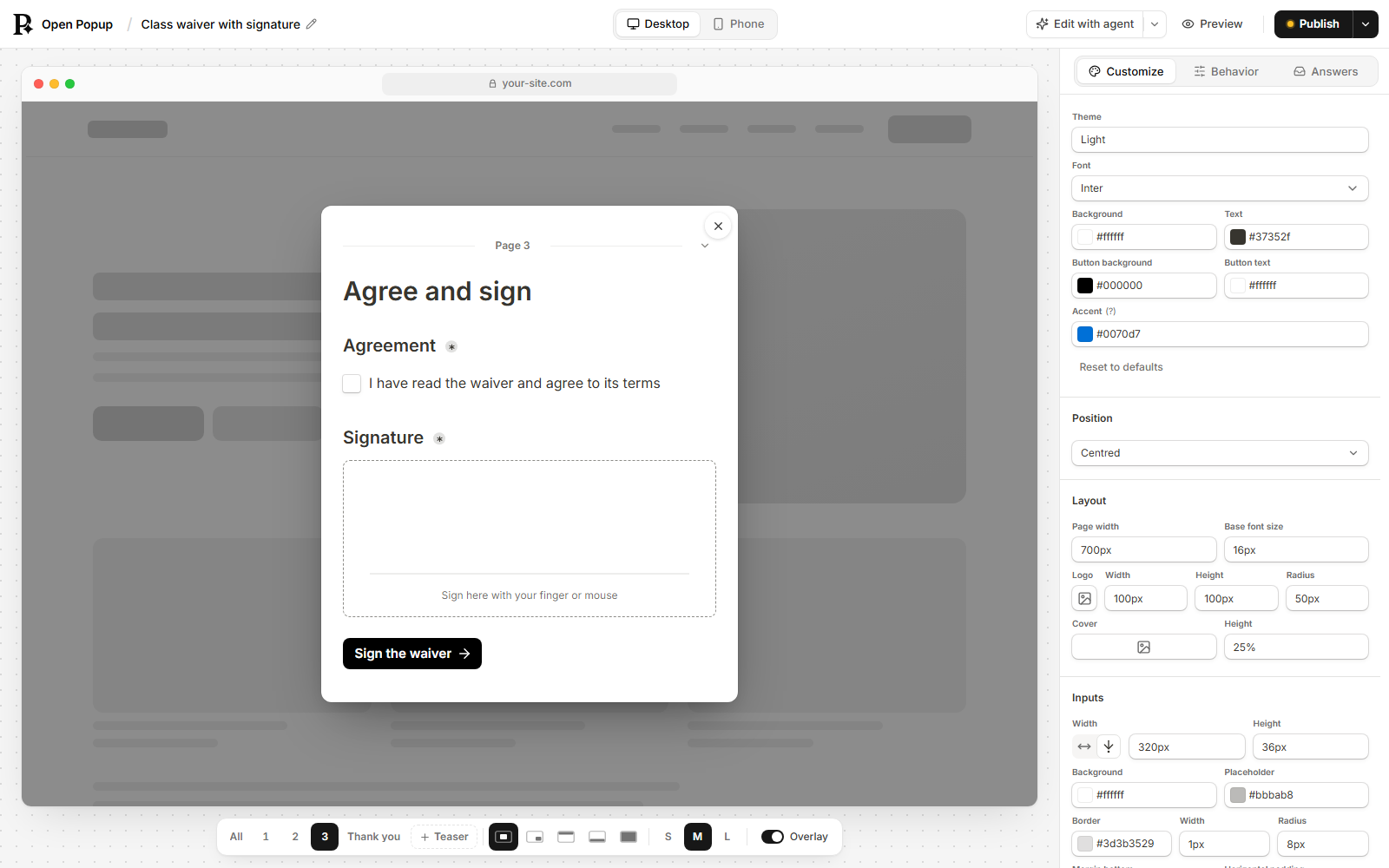
{ "id": "cv", "kind": "INPUT", "type": "FILE", "label": "Your CV", "required": true,
"maxFileSize": 10, "allowedFileTypes": [".pdf", ".docx"] }| Setting | Means |
|---|---|
maxFileSize | The largest file, in MB. 10 by default, 25 at most. |
allowedFileTypes | Narrows what’s taken, such as [".pdf", ".docx"]. Left empty, every accepted type is. |
allowMultipleFiles, maxFiles | true lets the visitor attach several, up to maxFiles (5 at most). |
{ "id": "sig", "kind": "INPUT", "type": "SIGNATURE", "label": "Signature",
  "required": true, "signatureLabel": "Sign here" }
A signature is drawn with a finger or the mouse. signatureLabel is the hint under the line. It’s kept as a small PNG.
What’s accepted
Images (PNG, JPEG, GIF and WebP), PDF, and Word, Excel and PowerPoint files (.docx, .xlsx, .pptx). The type is decided by what’s in the file, not its name, so a web page renamed cv.pdf is refused. SVG, HTML, plain text, CSV, video, archives and the older .doc and .xls are never accepted: some of them can carry scripts or macros, and some can’t be told apart from a web page.
Where files are kept
In a private storage bucket on your deploy, separate from everything else. It has no public address, so a file can’t be reached by guessing a link.
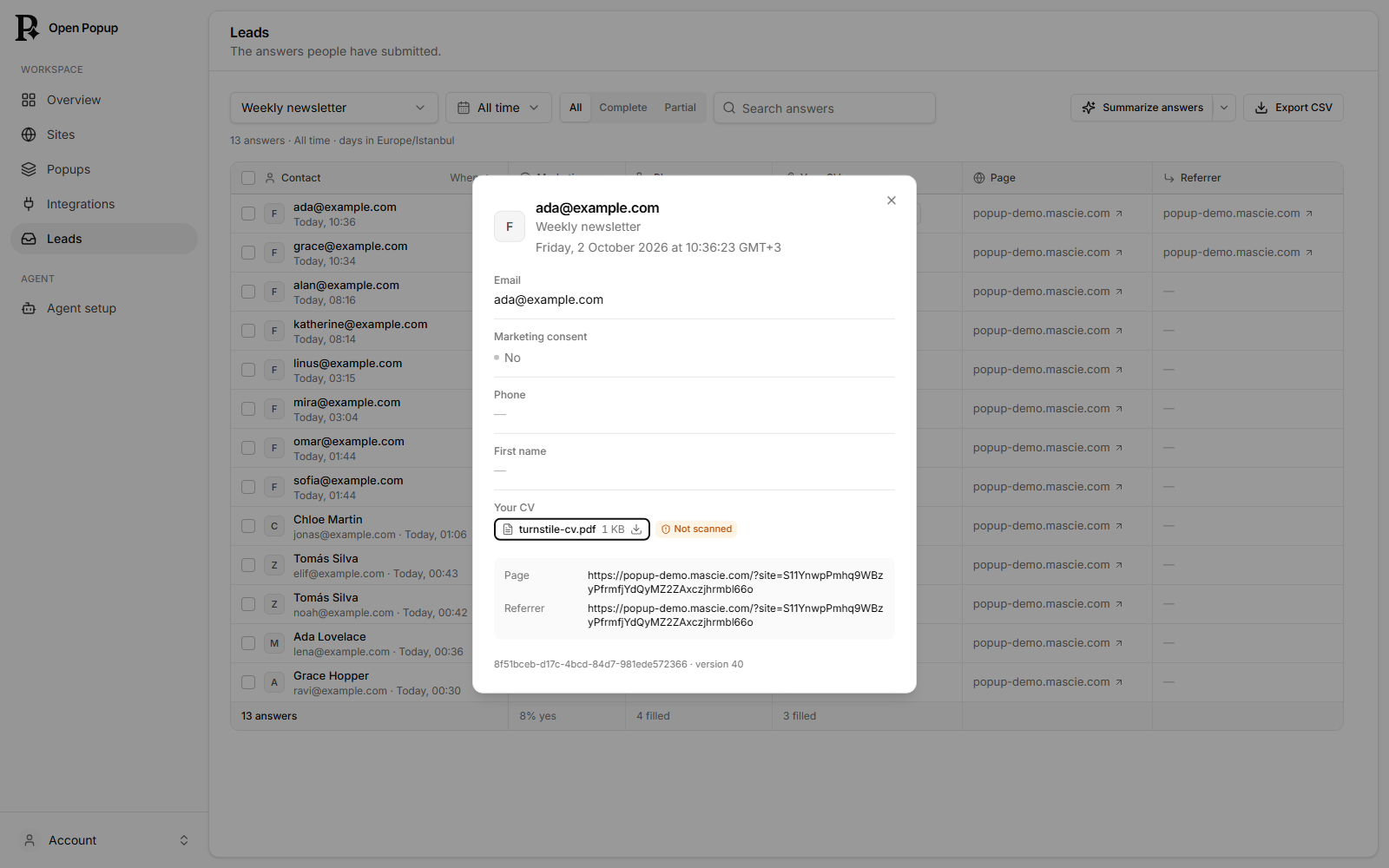
- The answer holds a reference, not the file. Leads, the CSV,
get_answers, a webhook, Mailchimp, Klaviyo and your new-lead email all show it as its name and size:file: cv.pdf, 182 KBorsignature: signature.png, 9 KB. - You download it from Leads. Open the answer and press the file. You get a link that works for five minutes, and the file always downloads rather than opening in the browser.
- Files are not scanned for malware. Leads says “Not scanned” beside each one. Open files from strangers with the care you’d give an email attachment.
- A file attached to a popup that the visitor never submitted is deleted after a day.
- Files are deleted with their answer: after the retention period (90 days by default), or when you delete the answer.
Limits
| Limit | Default |
|---|---|
| A file | maxFileSize, 10 MB unless set, 25 MB at most. A signature, 512 KB. |
| One visitor | 20 files a minute on one popup. |
| One site, per day | 300 files (UPLOAD_DAILY_PER_SITE). |
| One site, stored | 1 GB (UPLOAD_QUOTA_MB). |
Over a limit, that file is refused with a message the visitor can read; nothing else about the popup changes.
Spam check
A popup that asks for a file or a signature needs a Spam check, so a script can’t fill your storage: wherever a Spam check can work, it can’t be published without one. Adding a file or signature question in the builder puts a Spam check in for you, just before the submit button, where you can see it. It’s a Cloudflare Turnstile widget, and it shows where you put it. The builder and audit_popup both say when a popup can’t take files yet.
A Turnstile widget only works on the domain it was made for. On a site under the deploy’s own domain the Spam check uses the deploy’s keys (TURNSTILE_SECRET and TURNSTILE_SITE_KEY). On your own domain, make a widget for it in your Cloudflare account (Turnstile → Add widget, a free account is enough) and paste its Site Key and Secret Key on the dashboard’s Sites page, under Spam check. Until a site has keys the Spam check isn’t offered there, and uploads are held back only by the limits above.
When uploads are off
Uploads need the deploy’s storage bucket. scripts/deploy.sh creates it, but only once R2 is enabled on the Cloudflare account. Until then a file question refuses each file the visitor picks, saying the deploy can’t take files, and the builder and audit_popup warn you first.
Your pictures
Pictures in a popup (an image block, a cover, a logo, the teaser’s pictures, the pictures on choice options) are links to images. Any lasting https:// link works. To use a picture you have on your computer, or one whose link may not last, upload it to your deploy:
- In the builder, every image field opens a popover with Upload, Link and Search (stock photos, on a deploy with
PEXELS_API_KEY). - Your agent uses
upload_asset, with a public link to copy or the file itself.
Either way you get back a lasting address on your deploy, /a/ followed by the picture’s fingerprint. The same picture uploaded twice gets the same address.
| What | Rule |
|---|---|
| Types | PNG, JPEG, WebP, GIF and AVIF. SVG is refused, because an SVG can carry scripts; export a PNG instead. |
| Size | 5 MB a picture. |
| Privacy | Location and camera details are removed from JPEG, PNG and WebP photos before they’re stored. |
| Limits | 20 uploads a minute per site. 250 MB stored for a kept site (ASSET_QUOTA_MB), 25 MB for a site that isn’t kept yet. |
Uploaded pictures are public: anyone with the address can see them, like any picture on a website. They stay when a popup is deleted, because another popup, a copy or a cached page may still use them.
Picture uploads need the deploy’s public pictures bucket, which scripts/deploy.sh creates alongside the private one. Without it, the builder offers a link and the photo search only.