Where answers go
Mailchimp and Klaviyo, consent, webhooks, a reply email to the visitor, an email to you, and the CSV.
Every answer is stored in your deploy’s database first, whatever else you set up. You read it in the dashboard’s Leads page, your agent reads it with get_answers, and the CSV has all of it. Everything on this page is an extra copy sent somewhere else after the answer is safely stored. If one of those deliveries fails, the answer is still there, and the visitor never sees an error.
Nothing here is sent for an unfinished answer. A multi-step popup that saves each step as the visitor goes (partial) keeps those steps in Leads, marked incomplete, but only a finished submit reaches a list, a webhook or an inbox.
Mailchimp and Klaviyo
There are two halves: connecting the account, which you do once, and choosing the list, which each popup does for itself.
Connect an account
In the dashboard, open Integrations and connect Mailchimp or Klaviyo with an API key. You can connect several accounts of the same kind, for example one per client, and each gets a name taken from the account. The key is stored encrypted and only ever shown back masked. Your agent can do the same with set_integration.
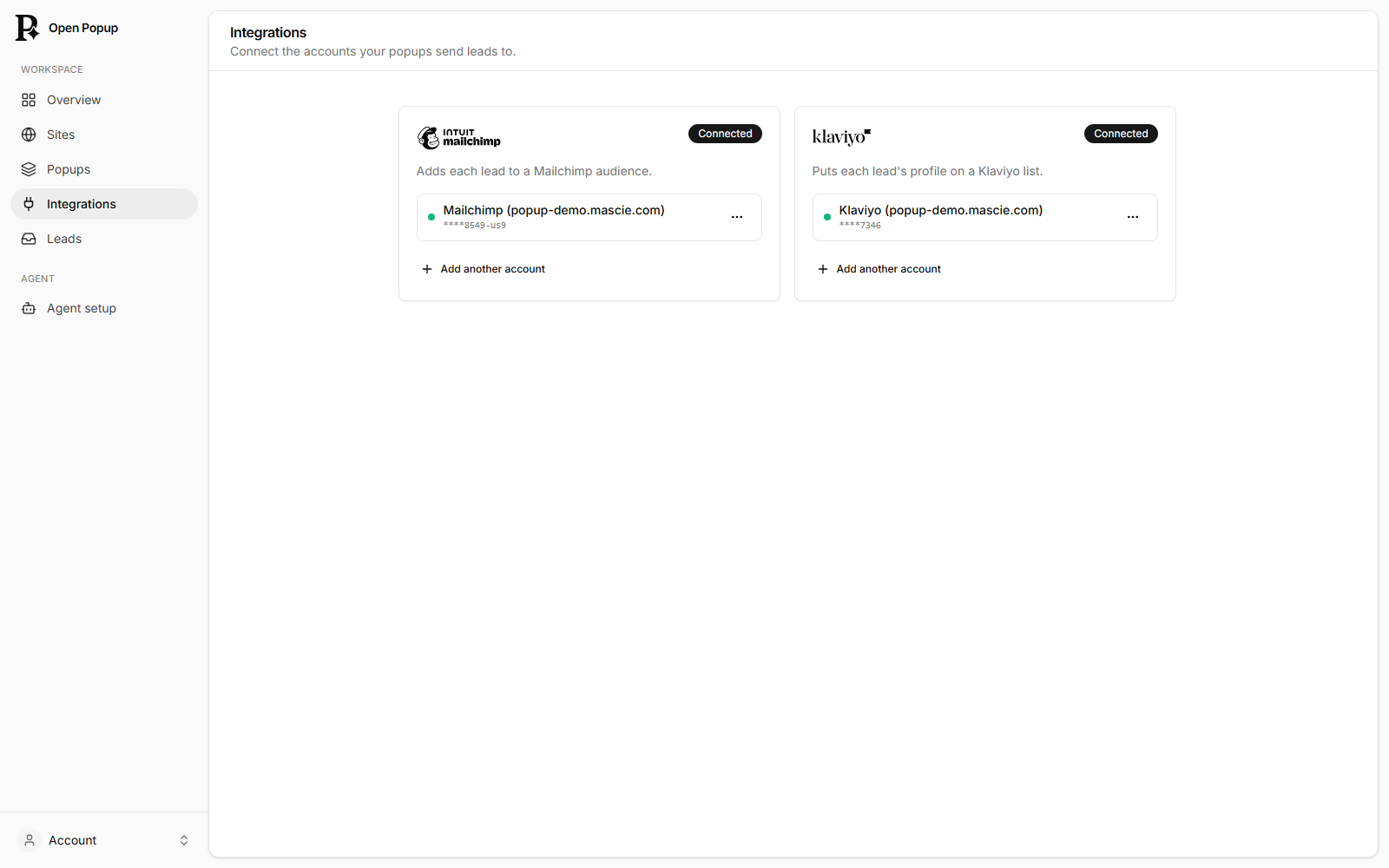
The Integrations page belongs to your account, so a site your agent made anonymously has to be kept first. An anonymous agent can still connect an account to the site it made, and that connection moves to your account when you keep the site. Either way it needs the deploy’s INTEGRATIONS_KEY, which encrypts the keys; a deploy without it doesn’t offer integrations.
Choose the list for a popup
In the builder, open the Answers tab. Under Where answers go, the answers table is always on, and each connected account has a switch. Turn one on and press its pencil to choose:
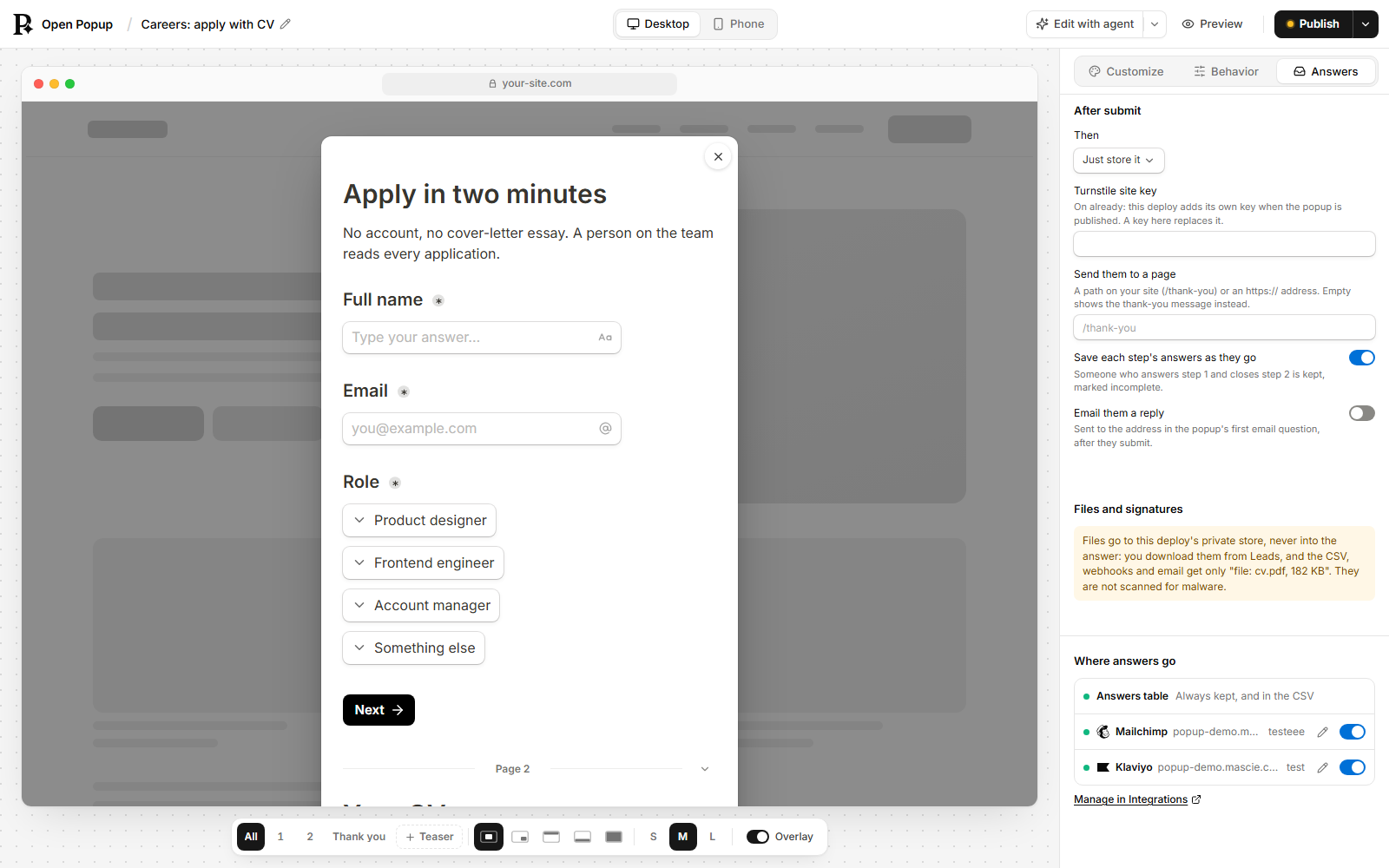
- the list (Mailchimp’s audience, Klaviyo’s list) the leads join;
- the field mapping: which question fills which field there, such as a “First name” question into Mailchimp’s
FNAMEor a Klaviyo property; - consent: whether this list takes only visitors who ticked the consent box (below).
A popup can send its leads to up to 20 lists. In the document this is popup.marketing.lists:
"marketing": {
  "lists": [
    { "connection": "c_8hY2kq…", "list": "a1b2c3d4e5", "mapping": { "First name": "FNAME" } }
  ],
  "consent": "Marketing emails"
}
connection is a connection id from list_integrations, and list an id from list_integration_lists. "lists": [] sends to none, which suits a survey or a contact form.
A failed delivery that the provider answers with “try again later” (a 429 or a 5xx) is retried once. Mailchimp’s update and Klaviyo’s import are both create-or-update, so a retry never makes a duplicate. Integrations shows whether each connection’s last delivery worked, and test_integration sends a harmless check.
To see a contact arrive, open a connection’s … menu on Integrations and choose Send a test. Pick an audience or list (it starts on the one most of your popups use), keep your own email or type another, and choose Send test contact. A contact named “Open Popup Test” is added the same way a popup’s lead is, tagged open-popup-test in Mailchimp (in Klaviyo, that’s its subscription source), and the dialog says where it went. If the list uses double opt-in, the contact is pending until the confirmation email that goes to that address is clicked. If the provider refuses that one address, the dialog shows its reason, and the connection doesn’t turn red over it. You can send 3 a minute. Your agent does the same with test_integration and list plus email.
Consent
A popup signs people up in one of two ways. Mailchimp and Klaviyo do what they always do in either; the popup only makes sure people know what they’re signing up for.
Ask for marketing consent off (the default). No checkbox. Under the submit button the popup says, in its own language: “By signing up, you agree to receive emails from shop.example. You can unsubscribe at any time.” The name in it is the reply email’s sender name if you set one, else your site’s domain. You can write your own sentence and add a link to your privacy policy in the list’s pencil dialog, under the consent switch. Mailchimp adds each lead as subscribed, or pending when the audience uses double opt-in. Klaviyo subscribes them to the list, and the list’s own opt-in setting (single or double) decides, just as for Klaviyo’s own forms. A popup whose leads go to no list (a survey, a contact form) shows no notice.
Ask for marketing consent on. One unticked checkbox, and only a ticked lead joins the list.
Either way, each answer keeps what the visitor was shown and agreed to, where and when. You’ll find it in the lead’s details and in the CSV’s Consent column (“notice” or “checkbox”).
GDPR. Signing up by submitting is valid consent only when signing up is all the popup does. If it also gives a discount code, redirects, asks other questions, takes a file or posts to a webhook, turn on Ask for marketing consent for visitors in the EU and UK. The builder and audit_popup both warn about it.
Marketing consent is one optional checkbox in the popup: a MULTI_CHOICE question with a single option, never ticked in advance and never required.
{ "id": "mc", "kind": "INPUT", "type": "MULTI_CHOICE", "label": "Marketing emails",
  "options": ["Send me offers and news by email"], "required": false }
Then name it as the popup’s consent question with "consent": "Marketing emails" (its label). From then on, a list takes a lead only when that box was ticked, and a ticked box gives Klaviyo a consent record. A list that should take everyone, for example a list of quote requests, sets "consent": false on its own entry. In the builder, it is the consent switch in that list’s pencil dialog.
The consent question is drawn without a title, just the checkbox and its words, so put everything the visitor needs to read in the option.
A webhook
"action": { "kind": "webhook", "url": "https://hooks.example.com/popup" }After each finished submit, the answers are also posted to your URL as JSON. In the builder it’s After submit → Then → webhook, with the URL.
{
  "popupId": "eR00gysJZa6Ploof",
  "submissionId": "…",
  "answers": { "Email": "ada@example.com", "Topics": ["News", "Offers"] },
  "context": { "page": "https://example.com/pricing", "referrer": "https://www.google.com/" },
  "popupName": "Newsletter signup",
  "siteDomain": "example.com",
  "text": "Email: ada@example.com …"
}textis the answers as one readable line, which is what Slack’s incoming webhooks need, so a Slack webhook URL works as it is. Zapier and Make read the other keys.- The request carries an
idempotency-keyheader set to the submission id, so a receiver can drop a repeat. - The URL has to be
https://. Addresses on a private or local network are refused, both when you save and again when it fires. - Your server has 10 seconds to answer. A 429 or 5xx gets one retry; a redirect is not followed.
- A file or signature question arrives as its name and size,
file: cv.pdf, 182 KB, never the file.
A reply email to the visitor
"autoresponder": {
  "subject": "Your 10% code",
  "body": "Hi {{First name}},\n\nUse LINEN10 at checkout.",
  "fromName": "Fieldnote",
  "replyTo": "hello@fieldnote.example"
}
After a finished submit, the visitor gets this email at the address they typed in the popup’s first email question. It’s plain text. {{First name}} puts in the answer to the question labelled “First name”. In the builder (After submit → Email them a reply), type @ in the subject or body to pick a question.
| Field | Means |
|---|---|
subject | One line, up to 200 characters. |
body | Up to 5,000 characters of plain text. A link you write out in full becomes clickable. An answer filled in from the popup never does: a link a visitor typed shows as text, like https[:]//example.com. |
fromName | The name it’s from, up to 64 characters. The address is always the deploy’s own sender. |
replyTo | Where the visitor’s reply goes. Left out, it goes to the site owner’s account email. |
It needs the deploy’s email provider (EMAIL_API_KEY, or RESEND_API_KEY, and EMAIL_FROM), and the site has to be kept in an account: on a site nobody has kept yet, nothing is sent until it is.
Because the visitor chooses where it goes, anyone could type a stranger’s address, so it is limited:
- Each site sends at most 10 a day to any one visitor network and 3 a day to any one address.
- Across the whole deploy, at most 20 a day go to one visitor network and 3 to one address, whichever sites they come from.
Over a limit the email is skipped and the answer is still stored. A Spam check on the popup (a Cloudflare Turnstile widget you add from the + menu, just before the submit button) stops scripts before they get that far, and is strongly advised.
Every reply email has an unsubscribe link, and the one-click unsubscribe header mail apps use. Someone who unsubscribes, whose address bounces, or who marks the email as spam gets no more of them. That can’t be undone from the dashboard: someone who said stop is not written to again. If three people mark a site’s reply emails as spam in one day, they pause for 24 hours and you get an email saying so. audit_popup says when they are paused.
A popup can also carry an unsubscribe to its Mailchimp or Klaviyo list. It is off until you switch on Unsubscribe in Klaviyo too (Mailchimp: Unsubscribe in Mailchimp too) in the popup’s field-mapping window for that list, right under Ask for marketing consent (or "unsubscribeSync": true on the entry in popup.marketing.lists). Once the popup is published, someone who unsubscribes from this site’s reply emails through that link is also unsubscribed there, and the unsubscribe page tells them so. Nobody is deleted: they stay on the list, marked unsubscribed. Bounces and spam complaints don’t do this. Mailchimp marks them unsubscribed in that audience, which only they can reverse, by subscribing again. Klaviyo marks their profile unsubscribed from email marketing; Klaviyo keeps that consent per profile, so its unsubscribe covers every list in that account. Only someone who is on the popup’s Klaviyo list is unsubscribed. Nobody who isn’t already on a list is ever added, and someone who signs up again through a popup, with consent, is added as before.
An email to you about each new lead
In the dashboard, Account → Email me each new lead sends you an email for every finished submit, from every popup in your account. It goes to your account’s email straight away. Use a different address sends somewhere else, once that address has confirmed with a link. Send a test checks that it arrives. Questions left unanswered are left out of the email.
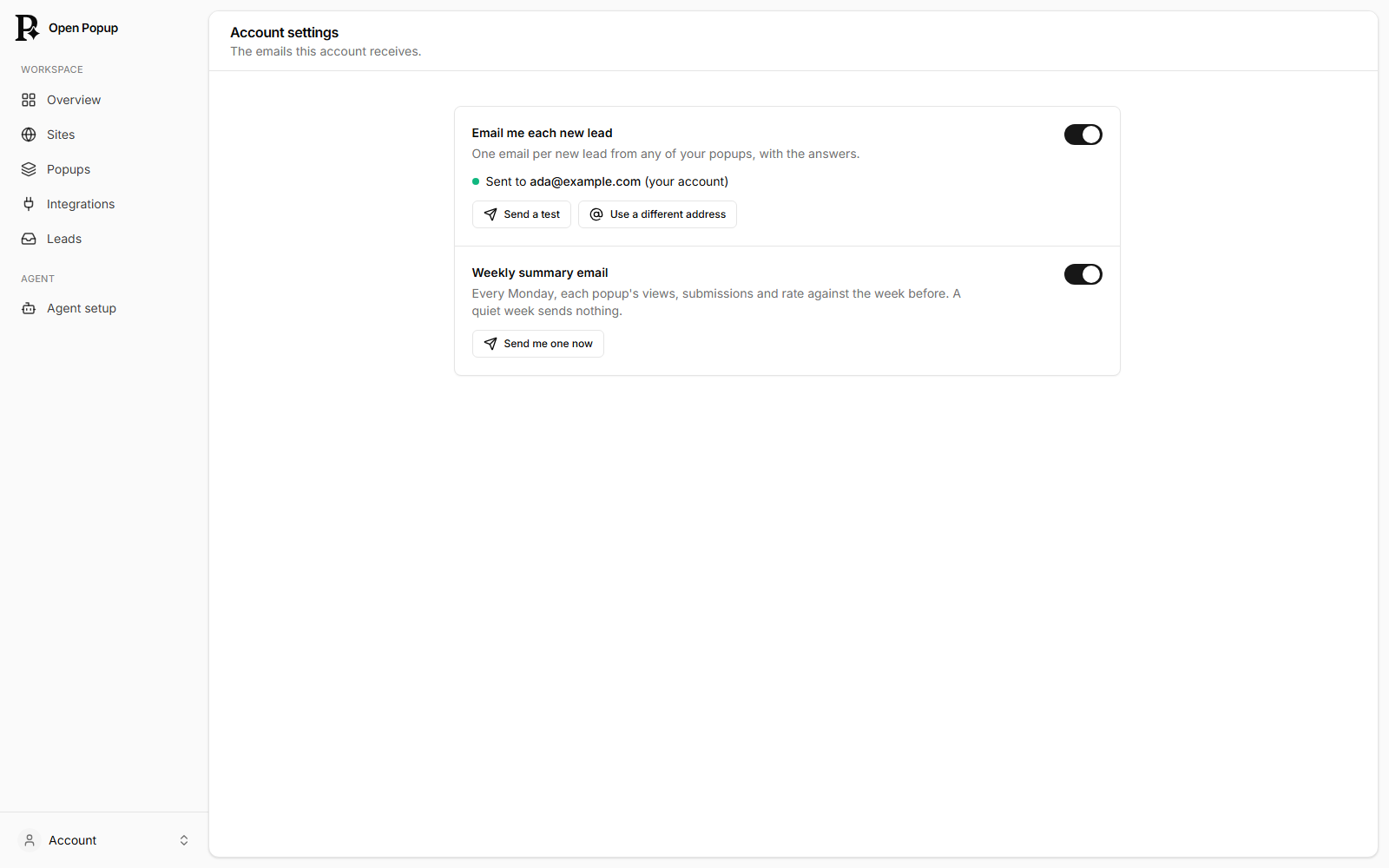
It needs a signed-in account and the deploy’s email provider, and it’s capped at 200 a day per site so a flood of fake submits can’t fill your inbox. Your agent sets it with set_integration (kind notify_email).
The same page has the Weekly summary: every Monday, last week’s views, submits and rate for each popup against the week before. Send me one now shows you what it looks like.
The CSV
Leads → Export CSV downloads the answers in the range you’re looking at. Your agent gets the same file from get_answers with format: "csv".
- One column per question, in the popup’s order, then any older questions that were answered before they were removed.
- Then
Page,Referrer,UTM source,UTM mediumandUTM campaign, where the visitor answered. The UTM columns fall back to the tags of the page their visit started on. - Then
Complete:nofor a multi-step popup the visitor didn’t finish. - A file or signature shows as its name and size. The file itself is downloaded from the answer in Leads.
- The file starts with a byte-order mark, so Excel opens accents and other alphabets correctly. Cells that Excel would run as a formula are made safe.
Deleting answers
An answer is deleted from your deploy after 90 days unless the deploy changed that (RETENTION_DAYS). To delete one person’s answers when they ask, your agent uses delete_answers with their email address or the submission id. That removes your deploy’s copy only: delete them from Mailchimp, Klaviyo or wherever your webhook sent them yourself.